About Typing Rocket
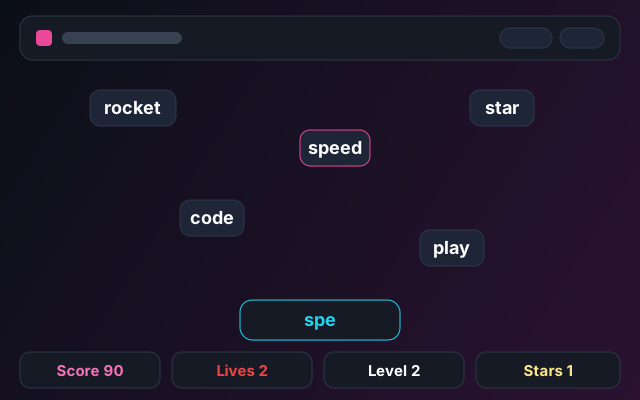
Typing Rocket is a speed and accuracy game. Words fall from the top of the screen, and you type them to clear them before they land.
It is keyboard-only, so it works best on a desktop or laptop. As you clear words, the level rises and the words fall faster.
How to Play
1Press Start to launch the rocket.
2Type a falling word exactly as shown.
3When your typed text matches a word, it is cleared and you score.
4If a word reaches the bottom, you lose a life. Three lost words ends the game.
Scoring and Stars
Each cleared word gives points based on its length. Longer words are worth more. Your level rises every few words and increases the fall speed.
At the end of a run, you earn stars based on your final score.
Controls
Letter keys: type word
Backspace: delete letter
Restart button: start over
Game Tips
Focus on the lowest word first. It is the one about to land.
Type smoothly instead of fast. Accuracy keeps your lives safe.
If you make a typo, use Backspace quickly rather than retyping the whole word.
Short words are quick points. Clear them between longer words.
Skills Trained
Typing
Speed
Accuracy
Focus
Game Preview
Game Details
| Game | Typing Rocket |
|---|
| Skill | Typing speed and accuracy |
|---|
| Difficulty | Hard |
|---|
| Input | Keyboard |
|---|
| Platform | Browser |
|---|
| Session | 1 to 3 minutes |
|---|
| Added | July 27, 2026 |
|---|
| Last Updated | August 6, 2026 |
|---|
Related Games
Related Guides
Typing Rocket Questions
Why does it need a keyboard?
The game is about typing, so it uses letter keys. On touch-only devices, a physical or on-screen keyboard is needed.
How do stars work?
You earn stars at the end of a run based on your final score. A higher score earns more stars, up to three.
What ends the game?
Losing all three lives ends the run. A life is lost each time a word reaches the bottom.